How to Get a Free Pet Portrait Design Online (Step-by-Step Guide)
Create a free pet portrait design in minutes. Here's exactly how to do it, plus tips for getting the best results.

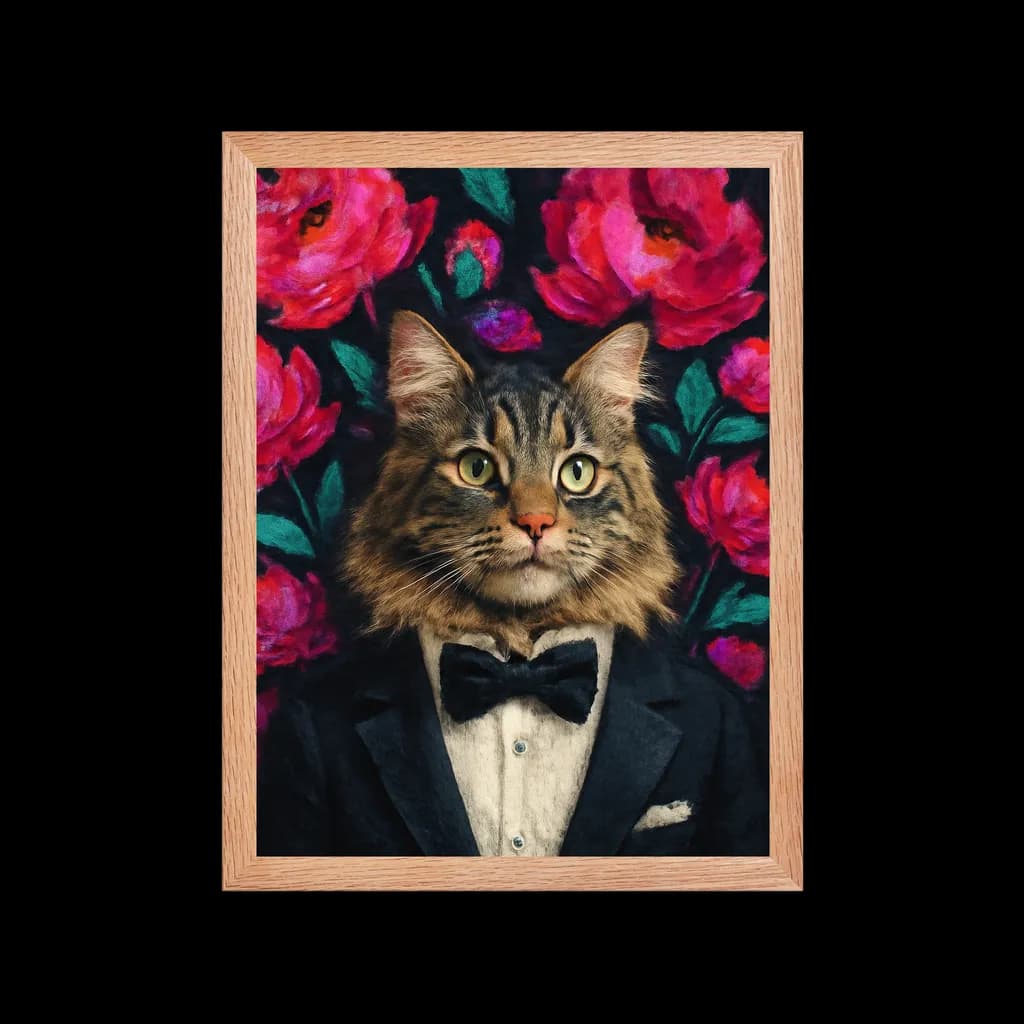
You have a photo of your pet on your phone. You want to see it transformed into art—Van Gogh swirls, Renaissance elegance, or modern pop art. And you don't want to pay for something you haven't seen yet.
Good news: you can create a free pet portrait design online in about 2 minutes. This guide walks you through the process step by step.
What You'll Need
- A photo of your pet (phone photo works fine)
- A web browser (works on mobile or desktop)
- 2 minutes of time
That's it. No account creation, no credit card, no app download.
Step-by-Step: Create Your Free Pet Portrait
Step 1: Choose Your Photo
The photo you choose determines 80% of your result quality. Look for:
- Clear eyes — The most expressive feature, needs to be in focus
- Good lighting — Natural light from a window is ideal
- Visible face — Full head and some neck/chest if possible
- No heavy filters — Instagram filters can confuse the portrait system
Don't worry if it's not perfect. Most phone photos work surprisingly well.
Step 2: Upload to the Generator
Go to PawSnap's free design tool. You'll see an upload area. Either:
- Click to select a photo from your device
- Drag and drop an image file
- On mobile, tap to open your camera roll
Your photo uploads securely. We don't store or share your images.
Step 3: Watch the Transformation
After upload, the system analyzes your pet's features—eyes, ears, fur patterns, expression. This takes about 10 seconds.
Then it generates your portrait in the default style. Total time: 1-2 minutes.
Step 4: Browse Art Styles
Don't love the first result? No problem. Browse all 60+ styles and see your pet in each one:
- Heritage Masters — Van Gogh, Mona Lisa, Rembrandt
- Fantasy — Harry Potter houses, Wizard, Warrior
- Modern — Pop Art, Minimalist, Bloom floral
- Seasonal — Holiday, Birthday, Memorial
Each style preview is completely free. Try as many as you want.
Step 5: Save or Purchase
Found a style you love? You have options:
| Option | What You Get | Price |
|---|---|---|
| Free preview | 512px image, great for social sharing | $0 |
| Digital download | 2048px, 300 DPI, print-ready | $19.99 |
| Framed print | Museum-quality, ready to hang | From $44.99 |
The free preview is yours to keep. Screenshot it, share it, use it as a wallpaper. If you want higher resolution for printing, that's when payment comes in.
Tips for Better Results
Lighting Makes Everything
Side lighting from a window creates depth. Direct flash flattens features. Outdoor shade works beautifully. Avoid harsh shadows across the face.
Expression Matters
Your pet's expression carries through to the final portrait. A relaxed, happy pet produces a warm portrait. An alert, curious pet produces an engaging portrait. Capture the personality you want to see.
Resolution Counts
Higher resolution photos produce better results. At minimum, use 1024px on the shortest side. Modern phones easily exceed this.
Try the Same Photo in Multiple Styles
Your Golden Retriever might look regal in Renaissance, playful in Pop Art, and dramatic in Van Gogh. The same photo can produce very different moods.
What's Free vs. What Costs Money
Let's be completely transparent:
100% Free (No Catch)
- Unlimited photo uploads
- Preview generation in all 60+ styles
- Comparing different styles side by side
- Sharing preview images on social media
Requires Purchase
- High-resolution download (for printing)
- Physical framed prints shipped to your door
- Canvas prints
This model is fair: you see exactly what you're buying before you spend money. No surprises, no hidden fees.
Frequently Asked Questions
Is it really free?
Yes. The preview is free. No credit card, no signup. You only pay if you want a high-resolution download or physical print.
Do I need to create an account?
No. Just upload and generate. Your portraits are stored temporarily in your browser session.
What happens to my photos?
Your photos are processed securely and not stored permanently. We don't share, sell, or use your images for anything other than generating your portrait.
Can I use the free preview for social media?
Absolutely. The 512px preview is perfect for Instagram, Facebook, or text messages.
How long does it take?
About 2 minutes from upload to finished portrait. Most of that is processing time.
Ready to Create Your Free Design?
No more reading—time to do. Upload a photo and see your pet transformed in minutes.
- Create free design now — Instant results, 60+ styles, no signup
- Explore artistic styles — Museum-quality Van Gogh, Renaissance, and more
- Full customization options — Control every detail of your portrait
Create Your Own Bloom Portrait
Transform your pet into a stunning work of art with our custom portrait generator.
Explore This Style